Checked against Facebook, Zelle, and Venmo guidance: July 2026. Payment-app rules can change; verify limits in your own app.
What to Know
- Zelle and Venmo payments are instant and near-impossible to reverse. That’s exactly why scammers push you toward them — and why a screenshot or email is never proof of payment.
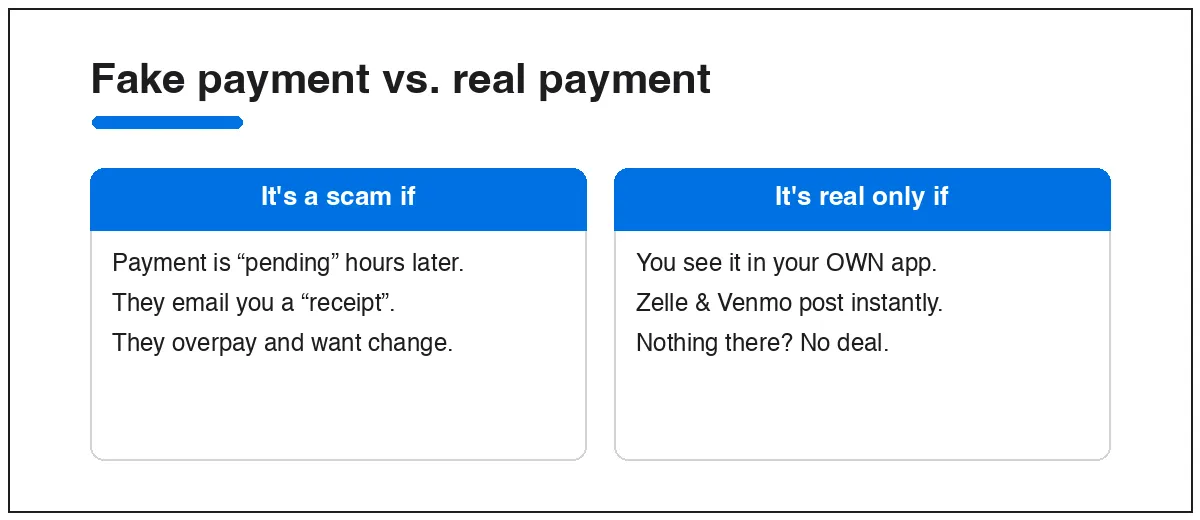
- The only safe check is to open your own Zelle, Venmo, or Cash App and see the money there. If a buyer says it’s “pending” or “on hold until you ship,” it’s a scam — these apps post instantly.
- Never send a “refund” for an overpayment. The original payment reverses later (stolen card), and your refund is real money gone.
Peer-to-peer apps like Zelle, Venmo, and Cash App are built for paying people you already trust. On Marketplace you’re dealing with strangers, and these apps offer little to no buyer or seller protection — most transactions can’t be undone even when they’re fraudulent. Two scams account for nearly all the damage.
Scam 1: The fake payment confirmation
A “buyer” agrees to your price, then sends a screenshot showing a completed payment — your name, the right amount, a confirmation number. It looks perfect. It was made in a free image editor in about a minute. Some 2026 versions go further and send a fake email from a lookalike address like [email protected].
The pressure comes next: “I’ve paid, please ship now” or “it’s pending, release the item and it’ll clear in a few hours.” Zelle and Venmo don’t work that way — real payments land instantly. There is no legitimate state where the money is “on hold pending your shipment.”
Scam 2: The overpayment
They send more than the agreed price — say $450 for a $300 item — then apologize for the “mistake” and ask you to send the extra $150 back. If you refund it, the original $450 is later reversed (it came from a stolen account), and you’re out the $150 plus your item. The rule is simple: never return an overpayment. A real buyer who overpays can dispute it with their own bank; that’s not your job to fix.
How to sell without getting burned
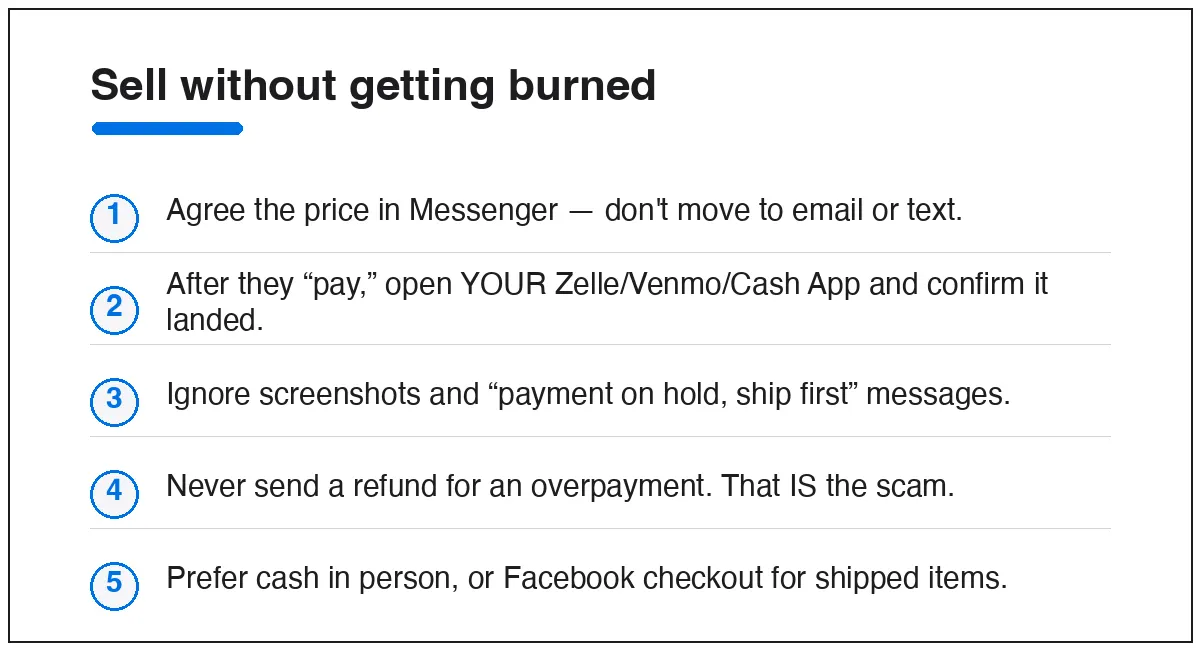
- Keep it in Messenger. If a buyer wants to move to text or email to “arrange payment,” that’s a flag.
- Verify in your own app. After they claim to pay, open Zelle/Venmo/Cash App yourself and confirm the money is actually there. Don’t act on their screenshot.
- Ignore “ship first” and “pending” stories. Instant apps don’t hold funds pending your action.
- Never refund an overpayment. That request is the scam.
- Prefer cash in person for local deals, or Facebook checkout for shipped items — checkout is the only path with built-in protection.
Quick answers
Can you reverse a Zelle or Venmo payment?
Generally no. Both treat transfers as authorized and final. That’s why verifying before you hand over goods is the whole game.
Is there buyer or seller protection on Zelle or Venmo?
Zelle has essentially none for Marketplace-style deals. Venmo only protects payments explicitly made as “goods and services,” which strangers rarely use. Assume you’re on your own.
A buyer sent a payment “receipt” email — is it real?
Check the sender’s exact domain and, more importantly, open your own app. If the money isn’t in your account, no payment happened, no matter what the email says.
What if I already refunded an overpayment?
Treat it as a completed scam: contact your bank’s fraud line and follow the recovery steps in what to do if you’re scammed on Marketplace.
This is one branch of a bigger picture — see the full guide to Facebook Marketplace scams for the phishing and item scams too, and buying and selling on Facebook Marketplace for safe-selling basics.