Checked against Facebook’s current Marketplace and Ads Manager interface: July 2026. Menu labels can shift as Facebook updates the app.
What to Know
- To stop a boost immediately, open the boosted listing (or Ads Manager), find the campaign named after your post, and toggle it off — when the switch goes from blue to gray, spending stops right away.
- Turning a boost off does not delete your listing. The item stays on Marketplace for free; you’re only ending the paid promotion.
- Watch for auto-boosting. If you ever agreed to a subscription or “automatically boost,” it keeps charging until you cancel it — a real trap. Steps to kill it are below.
Boosting turns a free Marketplace listing into a paid ad. Stopping it is quick once you know where the switch lives — the confusing part is that boosts are managed in Facebook’s ad tools, not on the listing’s normal menu.
Turn a boost off
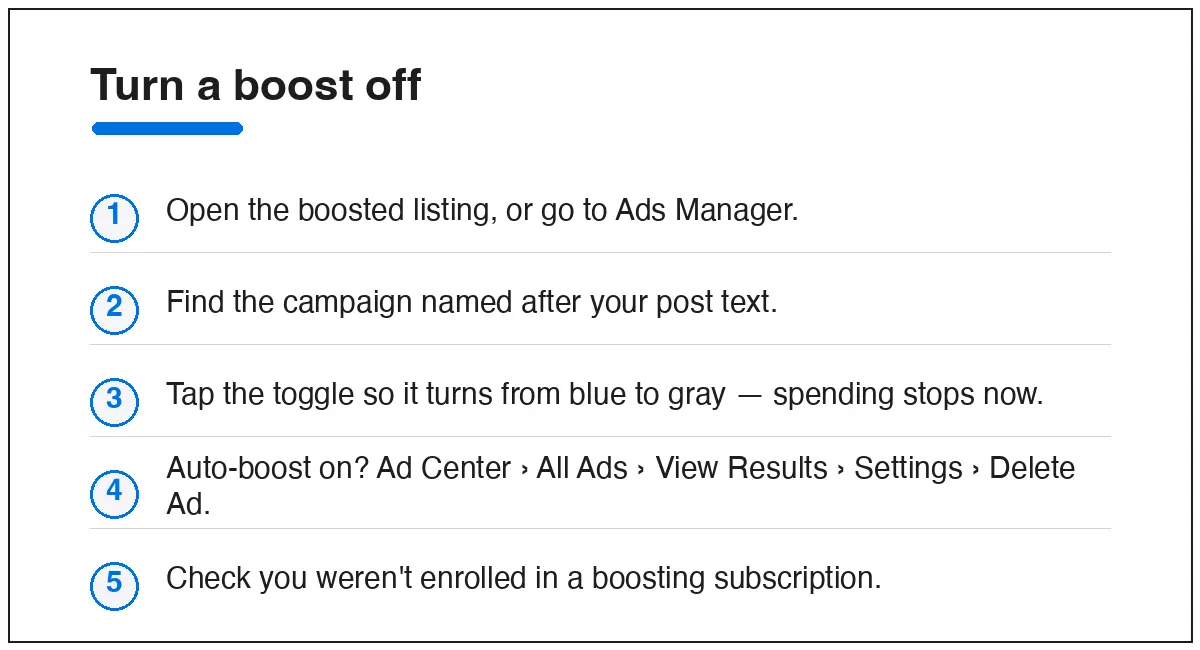
- Open the boosted listing and look for its boost/insights panel, or go straight to Ads Manager (facebook.com/adsmanager).
- Find the campaign — it’s usually named “Post: [first words of your listing]…” or Boosted Post.
- Click the toggle to the left of the campaign name. When it turns from blue to gray, the boost is off and spending stops immediately.
You’ll still be charged for what the boost already spent up to that moment — turning it off stops future spend, it doesn’t refund past spend.
Stop an automatic boost (the one that keeps charging)
If you enrolled a listing or Page in automatic boosting, the toggle above may not be enough — you need to delete the auto-boost itself.
- Go to your Facebook Page and open the Ad Center tab.
- Tap All Ads, find the ad, and tap View Results.
- Open Settings, then the menu in the bottom-left corner, and choose Delete Ad.
While you’re there, check whether you’re on a boosting subscription. Facebook has offered “always-on” boosting that renews on its own; if you see one, cancel it so it can’t restart the charges next week.
Is boosting a Marketplace listing even worth it?
Honestly? For most everyday sellers, no. Here’s the plain version.
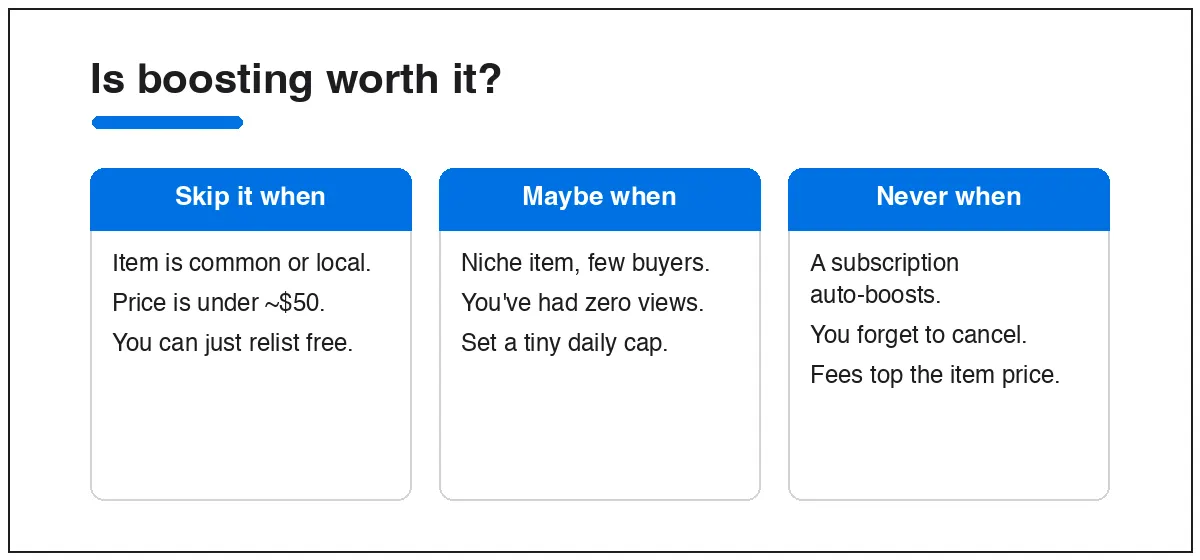
- Skip it for common, local items — furniture, phones, clothes. Plenty of buyers already search these; a free relist or a sharper title does more than paid reach.
- Maybe try it for a niche item with few natural buyers, or a listing that’s had days of zero views. If you do, set the smallest daily budget and a short run, then stop it manually.
- Never leave it running unattended. The real money-drain isn’t one boost — it’s an auto-boost or subscription you forgot, quietly spending more than the item is worth.
Before paying, try the free levers first: rewrite the title with the exact words a buyer types, add clear photos, price competitively, and renew the listing. Those usually beat a small boost for a fraction of the cost.
Quick answers
Will turning off a boost remove my listing?
No. The listing stays on Marketplace for free. You’re only ending the paid promotion.
Can I get a refund after I stop a boost?
You won’t be refunded for what already spent, but no further charges accrue once the toggle is gray. Cancel as soon as you decide you’re done.
Why does my listing keep getting boosted on its own?
You’re likely enrolled in automatic boosting or a boosting subscription. Delete the auto-boost in Ad Center and cancel any subscription — see the steps above.
Where do boosted listings even show my payment?
In Ads Manager and your Facebook payment settings, not on the Marketplace listing itself. That’s why boosts feel hidden — they live in the ad tools.
New to selling? Start with buying and selling on Facebook Marketplace for the free tactics that usually beat a boost. If a listing you paid to promote still isn’t visible, check why your Marketplace listing isn’t showing up.