Checked against Facebook’s current Marketplace interface: July 2026. Menu labels can shift as Facebook updates the app.
What to Know
- Facebook has no “Archive” button for personal Marketplace listings. That option only exists for business catalog products. So when people say “archive,” they mean one of four things below.
- To take an item out of search but keep its record, open Marketplace › your profile picture › Your listings, tap the item, then the three-dot menu, and choose Mark as Sold.
- Only Delete removes a listing completely. You can always relist a deleted item later — deleting doesn’t ban or penalize you.

If you’ve been hunting for an “Archive” button on your Marketplace listing, stop looking — there isn’t one for personal sellers. The word “archive” you’ve seen in tutorials usually refers to Facebook’s business catalog, a different tool for shops. For a normal listing, you have four real ways to take it down, and they don’t do the same thing.
The four options, and what each actually does
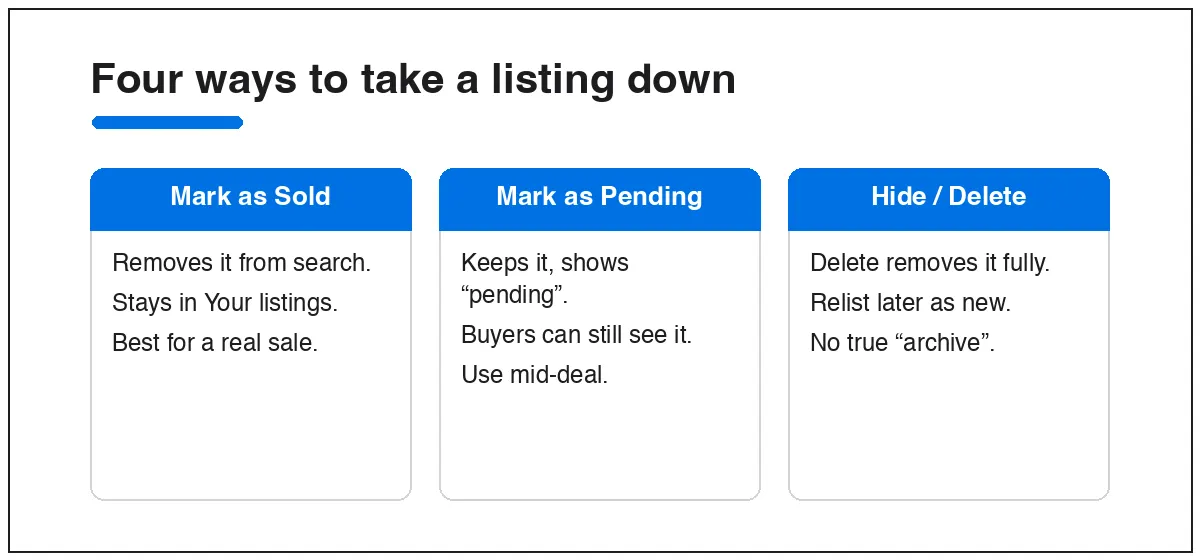
- Mark as Sold — pulls the item out of Marketplace search but keeps it in Your listings as a record. This is the closest thing to “archiving.” Good when you sold it, or just want it gone from public view without losing the details.
- Mark as Pending — signals a deal is in progress. The listing stays visible to buyers; it doesn’t hide anything. Use it only while you’re actually finalizing a sale.
- Delete — removes the listing entirely. You lose the post, but you keep the photos on your phone and can relist any time. No penalty.
- Business catalog Archive — a true archive that hides a product without deleting it, available only if you sell through a Commerce/Business catalog, not a personal listing.
How to hide a listing (Mark as Sold)
This is what most people actually want: the item off search, the record kept.
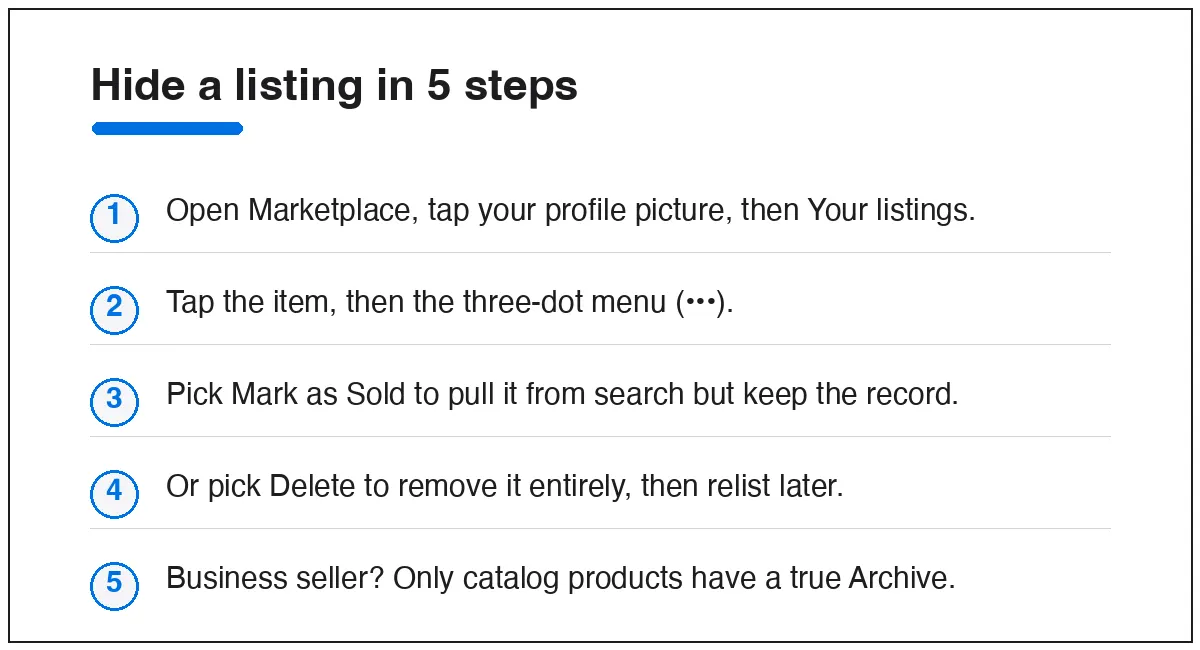
- Open the Facebook app and tap the Marketplace icon.
- Tap your profile picture at the top of the Marketplace screen.
- Tap Your listings.
- Find the item and tap it, then tap the three-dot menu (•••).
- Choose Mark as Sold.
On desktop, the path is Marketplace › Selling › Your listings, then the three-dot menu on the item. The item stops appearing in search almost immediately, but the record stays under your sold items.
How to delete a listing for good
Same menu, different button.
- Go to Marketplace › your profile picture › Your listings.
- Tap the item, then the three-dot menu.
- Tap Delete and confirm.
Deleting is the right call if the item is truly gone and you don’t need the record. One honest caution: don’t delete and immediately repost the same item over and over. Facebook reads rapid delete-and-relist as spam and can quietly limit how many people see your listings.
What about bringing a listing back?
If you marked something Sold or Pending by mistake, open it in Your listings, tap the three-dot menu, and choose Mark as Available. If a listing is more than a week old and buried, you’ll often see a Renew option instead — that pushes it back toward the top as if freshly posted.
Quick answers
Is there really no archive button on Facebook Marketplace?
Not for personal listings. “Archive” only exists for business catalog products. For a normal listing, Mark as Sold is the closest equivalent.
Does marking as sold hide it from everyone?
It removes the item from Marketplace search and browsing. The record stays in your own Your listings so you can relist it later.
If I delete a listing, can I get it back?
The post itself is gone, but you can create a new listing from scratch. Your photos stay on your device. There’s no penalty for deleting.
Why would I “pause” instead of delete?
Marking as Sold keeps your description, price, and photos saved inside Facebook, so relisting is one tap instead of a full re-entry. Deleting means starting over.
Selling regularly? Our guide to buying and selling on Facebook Marketplace covers the habits that keep your account out of trouble. And if a listing you kept live still isn’t visible to buyers, see why your Marketplace listing isn’t showing up.